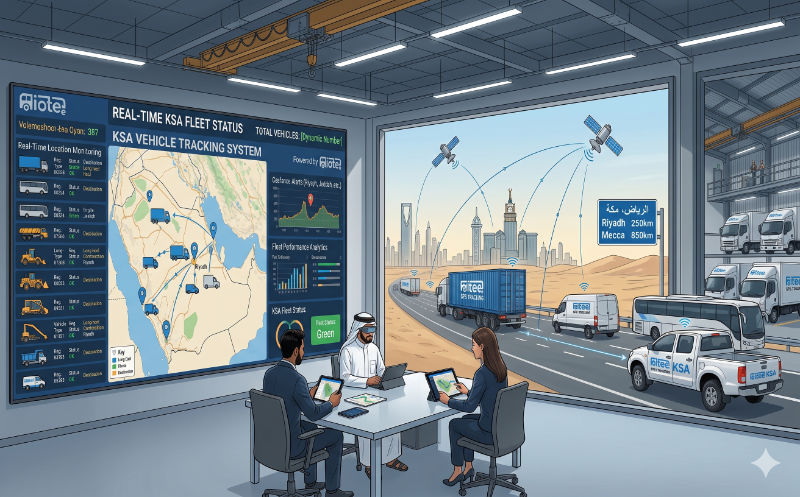
Geofencing turns a map into a set of rules. Instead of a dispatcher watching a live screen all day, the system itself knows where each vehicle is allowed to be, when it should arrive, and what counts as wrong — and it raises the alert the moment a truck leaves the yard at 2am, idles for an hour at an unauthorised stop, or strays off an approved pilgrim corridor near Makkah. For Saudi fleets running sites across Riyadh, Jeddah, Dammam and the Vision 2030 megaprojects, it is the feature that scales supervision without adding supervisors.
This guide explains what geofencing is, the geofence types that matter, the alerts that actually move the needle, and the uses that are specific to the Kingdom — from securing depots and construction sites to enforcing Hajj and Umrah route compliance. It builds on the fundamentals in our vehicle tracking system guide; geofencing is one of the highest-value things you do with the location data once it is flowing.
What is geofencing?
Geofencing is the practice of drawing virtual boundaries around real-world locations and attaching rules to them. The GPS device in each vehicle reports its position continuously; the platform compares every position against your geofences and, when a vehicle crosses a boundary or dwells inside one, it triggers whatever you told it to do — send an SMS, push an app notification, email a manager, start a timer, or flag the trip for review.
The power is that it converts passive tracking into proactive management. Without geofencing, location data only answers "where is the vehicle?" after someone looks. With it, the system answers "is anything wrong?" by itself, around the clock, across hundreds of vehicles at once. That shift — from watching to being told — is why geofencing is the single most-used feature on most Saudi fleet platforms after the live map itself.
How a geofence works under the hood
- You draw the zone on the map — a circle around a point, or a polygon traced along a site fence, district or route.
- You attach rules — alert on entry, on exit, on both, or on dwell time exceeding a threshold; optionally restrict the rule to certain hours, days or vehicle groups.
- The device reports position every few seconds to a few minutes depending on configuration; tighter reporting catches boundary crossings faster but uses more data.
- The platform evaluates each report against your zones and fires alerts and log entries the moment a condition is met.
- You review and report — every entry, exit and dwell becomes a record you can audit later, not just a one-time ping.
Types of geofences fleets use
Not every zone is a circle on a depot. Knowing the shapes and behaviours available lets you match the geofence to the job instead of forcing every problem into one tool.
| Geofence type | How it is drawn | Best used for |
|---|---|---|
| Circular (radius) | A point plus a radius — fastest to create | Depots, customer sites, fuel stations, quick zones |
| Polygon | Hand-traced vertices following real boundaries | Construction sites, warehouses, irregular districts, restricted areas |
| Corridor / route | A polygon following an approved road path | Hajj/Umrah routes, long-haul corridors, school-bus runs |
| City / region | Large polygon around a city or province | Out-of-territory alerts, cross-border (e.g. towards GCC) flags |
| Point of interest (POI) | Saved named places used across reports | Recurring stops, naming events in trip history |
Most platforms also distinguish inclusion zones (the vehicle should stay inside — e.g. a delivery vehicle within its assigned district) from exclusion zones (the vehicle should never be inside — e.g. a restricted military or Haram-adjacent area). The same map tool drives both; the difference is only in the rule you attach.
Geofence alerts: entry, exit and dwell
A geofence is only as useful as the alert behind it. There are three core triggers, and combining them with time and group conditions is where the real control comes from.
- Entry alert: fires when a vehicle crosses into the zone — confirms a delivery arrival, a site check-in, or an unauthorised vehicle entering a restricted area.
- Exit alert: fires when a vehicle leaves — the backbone of after-hours security ("this truck left the Dammam yard at 01:40") and of departure timestamps.
- Dwell / loitering alert: fires when a vehicle stays inside longer than a set time — catches excessive idling at a stop, padded site visits, or a vehicle parked where it should not be.
The conditions multiply the value. Time windows turn a depot exit alert on only between 18:00 and 06:00 so the day shift does not generate noise. Vehicle-group rules apply a district inclusion zone only to delivery vans, not to management cars. Speed-plus-zone rules flag a vehicle exceeding a limit inside a yard. The aim is always the same: an alert should mean something is wrong, every time it fires.
How Saudi fleets use geofencing
Geofencing earns its place through concrete, repeatable jobs. These are the uses Saudi operators rely on most, across industries.
| Use case | Geofence + rule | What it delivers |
|---|---|---|
| Depot / yard security | Exit alert, active 18:00–06:00 | Instant notice of after-hours movement and theft attempts |
| Delivery verification | Entry alert on each customer site | Automatic, time-stamped proof of arrival without driver calls |
| Site labour & billing | Dwell timer on construction sites | Verified time-on-site for client billing and payroll |
| Restricted areas | Exclusion zone with entry alert | Keeps vehicles out of Haram-restricted, military or hazard zones |
| Personal-use control | Out-of-territory alert after hours | Flags private use of company vehicles and fuel |
| Route compliance | Corridor zone along approved path | Detects deviation from assigned or permitted routes |
For commercial fleets that already justified tracking on fuel and recovery, geofencing is often where the operational savings show up — fewer phone calls to confirm arrivals, cleaner client billing, and a sharp drop in after-hours misuse. See how these stack into a return in our GPS tracking ROI analysis for Saudi fleets, and pair it with fuel-theft detection when an unexpected zone exit lines up with a fuel drop.
Securing yards, depots and Vision 2030 sites
The classic use is perimeter security. A polygon traced around a Riyadh logistics depot or a Red Sea / NEOM construction compound, with an exit alert active outside working hours, means any movement of a parked asset reaches a manager in seconds. Combined with a remote immobiliser, an unexpected exit alert at 3am becomes a recovery operation rather than an insurance claim. On large Vision 2030 projects with high-value plant and equipment, the same approach tracks excavators and generators that should never leave the compound.
Geofencing for Hajj and Umrah operations
Pilgrim transport is the most demanding geofencing use in the Kingdom, and one that is largely unique to Saudi Arabia. During Hajj and Umrah seasons, operators move enormous numbers of pilgrims between Makkah, Mina, Arafat, Muzdalifah, Jeddah and Madinah on approved corridors and tight schedules, under permits coordinated through the Nusuk / Tasreeh framework and the Transport General Authority (TGA). Geofencing is how a control room keeps order at that scale.
- Approved-route corridors: a corridor geofence along each permitted path flags any bus that deviates, so dispatch can intervene before it disrupts the schedule or strays toward a restricted area.
- Restricted-area exclusion: the Central Haram Area and roads reserved for specific permit categories can be set as exclusion zones, alerting instantly if a non-permitted vehicle approaches.
- Staging and dwell control: dwell timers on staging areas at Mina and Arafat surface buses that are loading too slowly or parked out of sequence.
- Arrival waves: entry alerts at each holy-site geofence let a control room track arrival waves across hundreds of buses without watching every dot.
Setting up effective geofences
Good geofencing is a discipline, not a one-time draw. A short, repeatable setup process is what separates zones that managers trust from a map full of ignored boundaries.
- Start with the highest-value zones: your depots and yards with after-hours exit alerts. Prove the value there before drawing fifty more.
- Size each zone to the real place plus a small buffer (often 50–150 m) so normal parking and approach do not trip false alerts.
- Use polygons for anything irregular — sites, warehouses, districts — and circles only for genuinely round, point-based zones.
- Attach time windows so day-shift activity does not generate night-time-style alerts, and limit rules to the relevant vehicle group.
- Decide who receives each alert and how (app, SMS, email). An alert with no owner is noise.
- Set dwell thresholds from real data — review a week of normal stops before deciding what "too long" means.
- Review monthly: retire zones you no longer use, retune the ones generating noise, and add new sites as the fleet grows.
Geofencing layers cleanly onto the rest of a tracking deployment. IOTee’s geofencing service and real-time GPS tracking are built to work together from day one, so your zones, alerts and the live map all share one platform rather than being bolted together after the fact.
What geofencing costs in Saudi Arabia (2026)
Here is the good news: geofencing is rarely a separate line item. On almost every fleet platform in the Kingdom it is a standard feature of the GPS tracking subscription, so the cost is the cost of tracking itself — and using geofences well adds nothing to the bill.
| What you pay for | Typical KSA price | Notes |
|---|---|---|
| GPS tracking subscription (geofencing included) | SAR 20–45 / vehicle / month | Unlimited zones and alerts on most platforms |
| Hardware tracker (one-time) | SAR 150–450 per vehicle | Often subsidised or bundled into a contract |
| Installation (one-time) | SAR 50–200 per vehicle | Hardwired install; plug-in OBD is self-fit |
| Advanced add-ons (optional) | Varies | Immobiliser, dashcam and sensor integrations that act on zone events |
Because geofencing piggybacks on data you are already collecting, the practical question is not "what does it cost?" but "are we using it?" Many fleets pay for a platform with unlimited geofencing and use two zones. The savings — in security, billing accuracy and reduced misuse — come from setting the zones up properly, not from any extra spend.
Common geofencing mistakes Saudi fleets make
- Drawing zones far too tight, so normal parking and approach generate constant false alerts until everyone mutes them.
- Sending every alert to one inbox with no owner, so nothing gets acted on.
- Forgetting time windows, so a perfectly normal day-shift depot is flagged hundreds of times.
- Using circles for irregular sites, leaving gaps where a vehicle is "outside" the zone while sitting on the yard.
- Setting it once and never reviewing — keeping dead zones for closed sites and missing new ones.
- Treating geofencing as security only, and missing the billing, delivery-verification and route-compliance value.
- Relying on geofences alone for high-value assets instead of pairing exclusion zones with an immobiliser and a recovery plan.
See geofencing built into live fleet tracking
IOTee runs unlimited geofences, smart alert routing and route-compliance zones on the same platform that tracks vehicles across the Kingdom — including Hajj and Umrah-grade corridor monitoring. Book a free demo and we will map your sites and routes for you.
Request a free demo →Geofencing across Saudi Arabia
IOTee deploys geofencing and tracking together, Kingdom-wide. Explore our fleet management platform, or local support in Riyadh, Jeddah, Dammam, Makkah, Madinah and Khobar.